For a smooth road trip, use navigation apps like Google Maps and Waze, downloading offline maps for areas you’ll visit. Consider dedicated GPS devices like Garmin or TomTom for more reliable directions without depending on cell service. Boost your connectivity with portable hotspots and carry a power bank to keep devices charged. Planning ahead with the right gadgets guarantees you stay on track and prepared for any situation. Keep exploring for more expert tips to enhance your journey.
Listen free for 30 days with Audible
Thousands of audiobooks and originals — cancel anytime.
As an affiliate, we earn on qualifying purchases.
Key Takeaways
- Use Google Maps to download offline areas for reliable navigation without internet access.
- Rely on dedicated GPS devices like Garmin or TomTom for consistent directions independent of cell coverage.
- Utilize portable Wi-Fi hotspots and power banks to maintain connectivity and device functionality throughout the trip.
- Equip your vehicle with a car mount for easy access to smartphones and navigation apps while driving.
- Download playlists and entertainment content in advance from streaming services for offline use and uninterrupted enjoyment.
Starting on a road trip can be exciting, but without the right planning, it can quickly become stressful. You want to enjoy the journey, not worry about getting lost or running out of entertainment. That’s where the right apps and gadgets come in. They can keep you on track, guarantee you have offline maps when cell service drops, and make the drive more enjoyable with music playlists and snack recommendations. Before you hit the road, take some time to set up these tools so you’re prepared for every twist and turn.
Kickstart your road trip with smart planning, offline maps, playlists, and tasty snacks for a smooth, fun adventure.
First, focus on your navigation. GPS apps like Google Maps and Waze are popular, but they rely heavily on internet connectivity. To avoid getting lost or stranded without service, download offline maps beforehand. Google Maps allows you to save specific areas, so even if you lose signal, you can still see your route. Dedicated GPS devices, such as Garmin or TomTom, are also reliable options because they don’t depend on cell towers and can provide turn-by-turn directions in remote areas. Whichever you choose, make sure your device is charged and has updated maps. Carry a portable charger or power bank to keep your devices alive during long stretches between stops.
Now, let’s talk about keeping everyone entertained and energized. Music playlists are essential on road trips. Curate playlists tailored to your mood or the scenery—upbeat tracks for the morning, relaxing tunes for the afternoon, or nostalgic hits for a trip down memory lane. Streaming services like Spotify or Apple Music are great, but don’t forget to download your playlists in advance. This way, you won’t have to worry about internet issues, and your music won’t cut out unexpectedly. Pair your playlists with good-quality speakers or your car’s audio system for the best experience.
Snacks are equally important. Instead of stopping frequently for fast food, plan snack recommendations that are easy to pack and eat on the go. Think trail mix, granola bars, fresh fruit, or veggie sticks. Keep a cooler with drinks nearby, and consider packing some homemade snacks for healthier options. Having a variety of snacks ensures everyone stays satisfied and avoids crankiness during long drives. Plus, stopping less often means more time exploring your destination rather than waiting in lines.
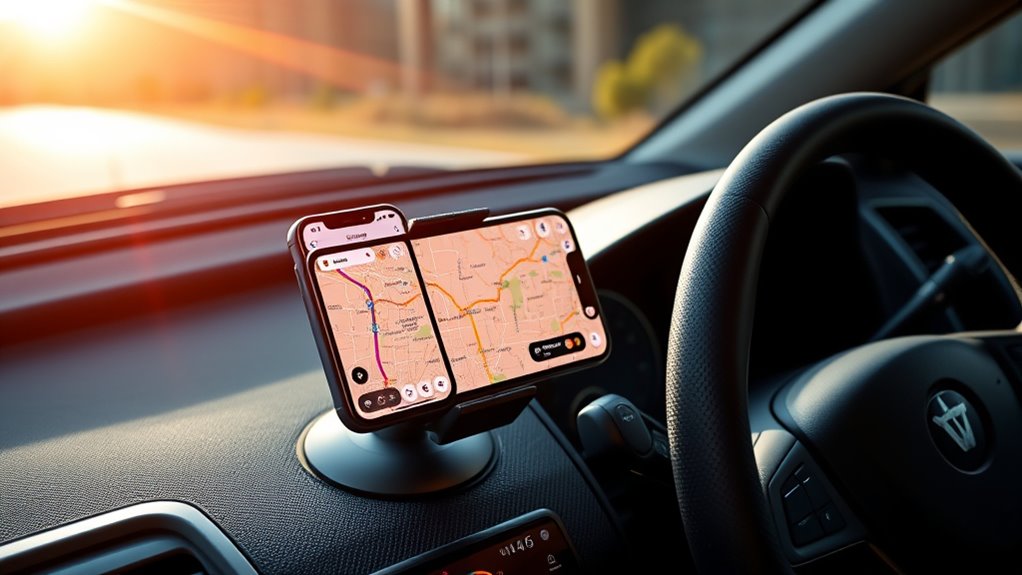
Finally, consider additional gadgets like a portable Wi-Fi hotspot or car mount for your phone, which make navigation and entertainment even more convenient. With the right combination of apps and gadgets, your road trip will feel smoother, more organized, and way more fun. Planning ahead assures you’re ready for whatever the road throws at you, leaving you free to enjoy the journey and create unforgettable memories. Additionally, selecting a high-quality projector can enhance your on-the-road movie nights or outdoor viewing experiences, making your trip even more memorable.
As an affiliate, we earn on qualifying purchases.
Frequently Asked Questions
How Do Offline Maps Update Without Internet Access?
Offline maps update through periodic downloads from offline map sources when you connect to the internet. You need to open your map app and manually check for map data updates, which then download and save locally on your device. This way, your offline map data stays current without needing an internet connection during your trip. Regularly updating guarantees accurate navigation, even when you’re off the grid.
Can I Customize Voice Directions in Navigation Apps?
Did you know that over 60% of users prefer personalized navigation voices? You can customize voice directions in many navigation apps, making your journey more fun and tailored. Simply explore the app’s settings for voice customization options—some allow you to choose different navigation voices or even upload your own. This way, you stay engaged and make your trips feel more personal and enjoyable every time you hit the road.
Which Gadgets Have the Longest Battery Life for Road Trips?
You should look for gadgets with the longest battery life, especially portable power banks, which can keep your devices charged all trip long. Many power banks offer 10,000mAh or more, providing multiple charges for smartphones and GPS units. Consider high-capacity models with fast charging and durable designs, so you stay powered on the road without worrying about running out of juice. Always carry a reliable power bank to extend your device’s battery life during your road trip.
Are There Safety Features Integrated Into GPS Apps?
Yes, many GPS apps include safety features like safety alerts and emergency features. You get notifications for hazards, speed traps, and sharp turns, helping you stay alert. Emergency features often allow you to quickly contact roadside assistance or share your location with others if you’re in trouble. These tools enhance your safety during the trip, giving you peace of mind as you navigate unfamiliar roads.
How Do I Share My Route With Friends Easily?
Sharing your route is easier than ever—you’ll feel like a world-class navigator! Just open your favorite GPS app, tap the route sharing options, and pick how you want to share: text, email, or social media. Many apps let you generate a link or send the route directly. This way, your friends can follow your journey in real-time or plan their own trip with the same route effortlessly.
As an affiliate, we earn on qualifying purchases.
Conclusion
No matter which app or gadget you choose, these tools turn your road trip into a smooth sailing adventure. With reliable GPS and offline maps at your fingertips, you’ll navigate the open road like a seasoned captain steering through uncharted waters. Embrace the technology, stay flexible, and let your journey unfold effortlessly. After all, the right tools are your compass, guiding you through every twist and turn on your road trip voyage.
As an affiliate, we earn on qualifying purchases.
As an affiliate, we earn on qualifying purchases.
NFL season / tailgating Picks
team gear
As an affiliate, we earn on qualifying purchases.