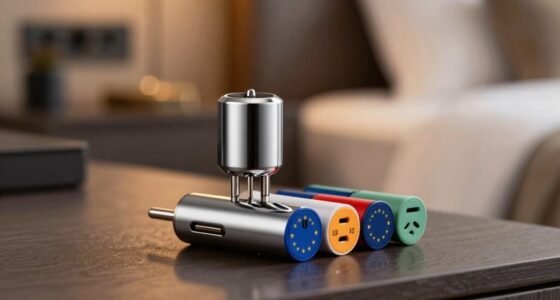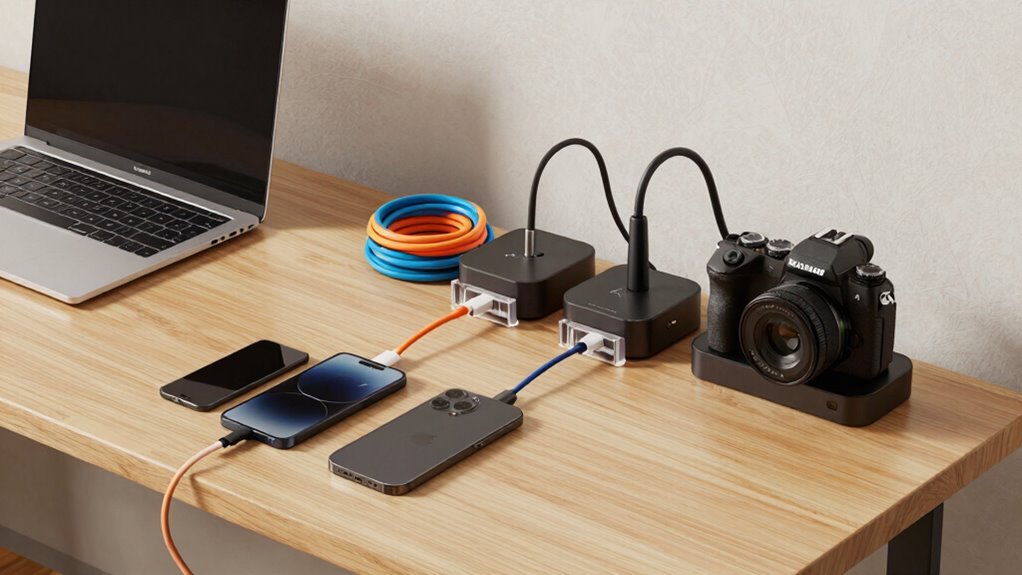

To keep your workspace neat, use wireless charging pads for phones and cameras that support wireless tech, avoiding cable clutter. Pair them with organized power strips featuring cable management features like clips or Velcro straps for your laptops and other devices. Position chargers centrally and within easy reach to minimize cord stretching and tangles. Regularly clean and streamline your setup to stay tidy and efficient. If you want to discover more tips, keep exploring how to optimize your charging space.
Key Takeaways
- Use wireless chargers and docks for phones and earbuds to reduce cable clutter and simplify daily charging.
- Implement power strips with built-in cable management features and label outlets for organized device charging.
- Position charging stations centrally and within reach to minimize cable stretching and tangling.
- Keep frequently used devices in accessible spots with tidy cables using Velcro straps or cord sleeves.
- Regularly declutter and update your setup to maintain an efficient, mess-free workspace.

Keeping your charging station organized can be challenging, especially when dealing with multiple devices like laptops, phones, and cameras. The clutter from tangled cords and scattered chargers can quickly turn your space into a mess. To avoid this chaos, focus on creating a system that’s both efficient and tidy. Wireless charging is a game-changer here, allowing you to power up compatible devices without the clutter of cables. Simply place your phone or wireless-enabled earbuds on a charging pad, and you’re good to go. This minimizes cable clutter and keeps your workspace looking clean. For devices that don’t support wireless charging, a well-organized power strip becomes essential.
Simplify your space with wireless charging and organized power strips for a clutter-free workspace.
Power strip organization helps you keep cords in check and prevents chaos from multiple chargers plugged into a single outlet. Use a power strip with built-in cable management features, such as clips or channels, to guide cords neatly along its length. Label each outlet so you can easily identify which cord belongs to which device, preventing the need to unplug everything when you need a specific device. Consider using cord sleeves or Velcro straps to bundle excess cable length, so cords don’t spill over your desk or fall onto the floor. This approach reduces visual clutter and minimizes the risk of tripping over loose wires. Additionally, incorporating cable management techniques can further streamline your setup and make maintenance easier.
Position your power strip centrally on your desk or charging station, making it easy to access all your devices without stretching cords or creating tangles. Combine this with a charging station dock or stand that can hold multiple devices simultaneously. Many of these docks feature built-in cable management options, keeping cords hidden and organized. Pairing wireless charging pads with these docks allows you to keep your most-used devices powered without adding more cables to your setup. When setting up your charging station, think about accessibility—place frequently used devices within reach, but keep the cords tidy. Additionally, utilizing power management solutions can help optimize your setup and reduce electrical clutter. Regularly updating your setup also ensures you’re making the most of the latest charging technology for efficiency and convenience.
In addition, regularly check and tidy your charging area. Remove any unnecessary cables or devices that no longer need charging. This helps maintain a streamlined setup and makes it easier to find what you need quickly. By combining wireless charging options with effective power strip organization, you can keep your charging station neat, efficient, and free of mess. This approach not only saves space but also reduces stress, making it easier to stay productive and organized every day.
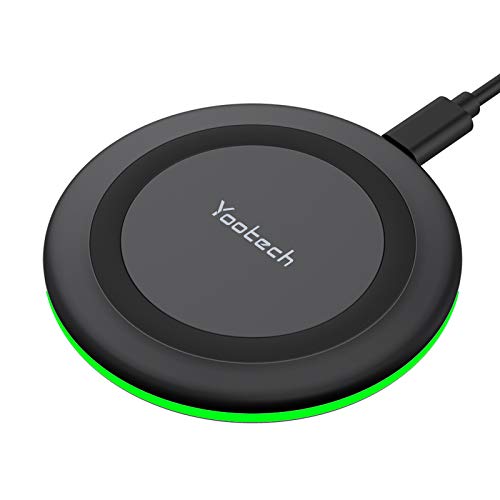
Yootech Wireless Charger,10W Max Wireless Charging Pad(No AC Adapter)
- Multiple Charging Modes: 7.5W, 10W, and 5W options for various phones
- Optimized for AirPods: Perfect fit for AirPods with wireless charging case
- Enhanced Safety Features: Temperature control, surge, and short-circuit protection
As an affiliate, we earn on qualifying purchases.
As an affiliate, we earn on qualifying purchases.
Frequently Asked Questions
Can Wireless Charging Be Used for All Devices?
Wireless charging isn’t compatible with all devices because of varying wireless compatibility and device charging standards. You can wirelessly charge many smartphones and some cameras, but laptops usually require specific charging ports and standards. Check your device’s compatibility and the charging standard it uses. If your device supports Qi wireless charging, it can likely be charged wirelessly, but for others, you’ll need traditional cables or adapters.
What Safety Precautions Should I Take While Charging Multiple Devices?
You should prioritize charging etiquette by avoiding overloading outlets and unplugging devices when not in use. Always use a power strip with surge protection to guarantee safety. Keep cords organized to prevent tripping hazards and avoid frayed or damaged cables. Make certain your devices aren’t overheating and never plug too many high-power devices into a single outlet. These precautions help keep your charging setup safe and efficient.
Are There Portable Charging Solutions for Travel?
Think of your devices as a flock of birds needing to stay aloft—portable power banks act as their nourishing wind. Yes, there are travel charging kits and compact power banks designed for on-the-go use, making it easy to keep your laptop, phone, and camera charged anywhere. These solutions are lightweight, efficient, and perfect for adventures, ensuring you stay connected without the clutter of multiple cords.
How Do I Prevent Overheating of Charging Devices?
To prevent overheating of charging devices, you should practice proper battery maintenance and overcharging prevention. Avoid charging devices on soft surfaces like beds or sofas, as they trap heat. Use chargers with built-in overcharge protection and unplug devices once fully charged. Keep vents clear and guarantee good airflow around your devices. Regularly monitor temperature during charging, and don’t leave devices charging unattended for extended periods.
What Is the Ideal Cable Length for Minimal Clutter?
You should opt for cables around 3 to 6 feet long to keep clutter minimal. This length helps you avoid tangled cords and makes cable management easier. Using shorter cables reduces the risk of tripping hazards and keeps your power strip organization neat. Did you know the average desk has over 10 feet of tangled cords? Choosing the right cable length streamlines your workspace and keeps everything tidy and accessible.
organized power strip with cable management
As an affiliate, we earn on qualifying purchases.
As an affiliate, we earn on qualifying purchases.
Conclusion
By organizing your chargers with smart storage solutions, you’ll transform chaos into crystal-clear order—making your space feel as serene as a zen garden. Keep cables neatly coiled, use labeled cords, and invest in multi-port chargers to streamline your charging routine. With these simple steps, you’ll tame the wild jungle of wires, turning a potential mess into a masterpiece of efficiency. Embrace this approach, and you’ll wonder how you ever lived without such impeccable order.

Nettbe 60 PCS 6 Inches Reusable Cable Ties, Adjustable Cord Straps Wire Organizer Cord Wrap and Hook Loop Cable Management
- Reusable nylon cable ties: Eco-friendly and durable
- Versatile cable organizer: Wraps all loose cords
- Multi-purpose use: Suitable for home, office, garage, outdoor
As an affiliate, we earn on qualifying purchases.
As an affiliate, we earn on qualifying purchases.

750W Charging Station for Multiple Devices, Zobirez 10-Port Fast Charger
- 10-Port Charging Capacity: Charges 10 devices simultaneously
- High-Power USB-C Ports: 120W output per USB-C port
- Fast USB-A Charging: 30W output per USB-A port
As an affiliate, we earn on qualifying purchases.
As an affiliate, we earn on qualifying purchases.