
TL;DR

Get travel and outdoor gear delivered free — and shop member deals
- Fast, free delivery on millions of items
- Access to Prime Big Deal Days deals on October 6–7
- Prime Video, Amazon Music and more included
Building an AI workstation used to be cheaper, but in 2026, prebuilt systems often match or beat DIY prices due to component shortages and bulk buying. The decision now depends more on convenience, control, and long-term needs than just cost savings.
Imagine this: you need a powerful AI workstation fast, and you’re weighing whether to build one yourself or buy preassembled. Years ago, the clear winner was usually building — cheaper, more control. But 2026 has flipped that script. With soaring component prices and supply chain issues, prebuilt systems are often just as affordable — or even cheaper — for high-end setups.
This shift makes the decision more nuanced. It’s worth considering building vs buying when choosing an AI workstation. It’s no longer just about saving a few bucks; it’s about speed, support, and how much control you want over the machine’s guts. So, whether you’re a hobbyist, a startup, or a researcher, understanding the real tradeoffs will help you choose what’s right today.
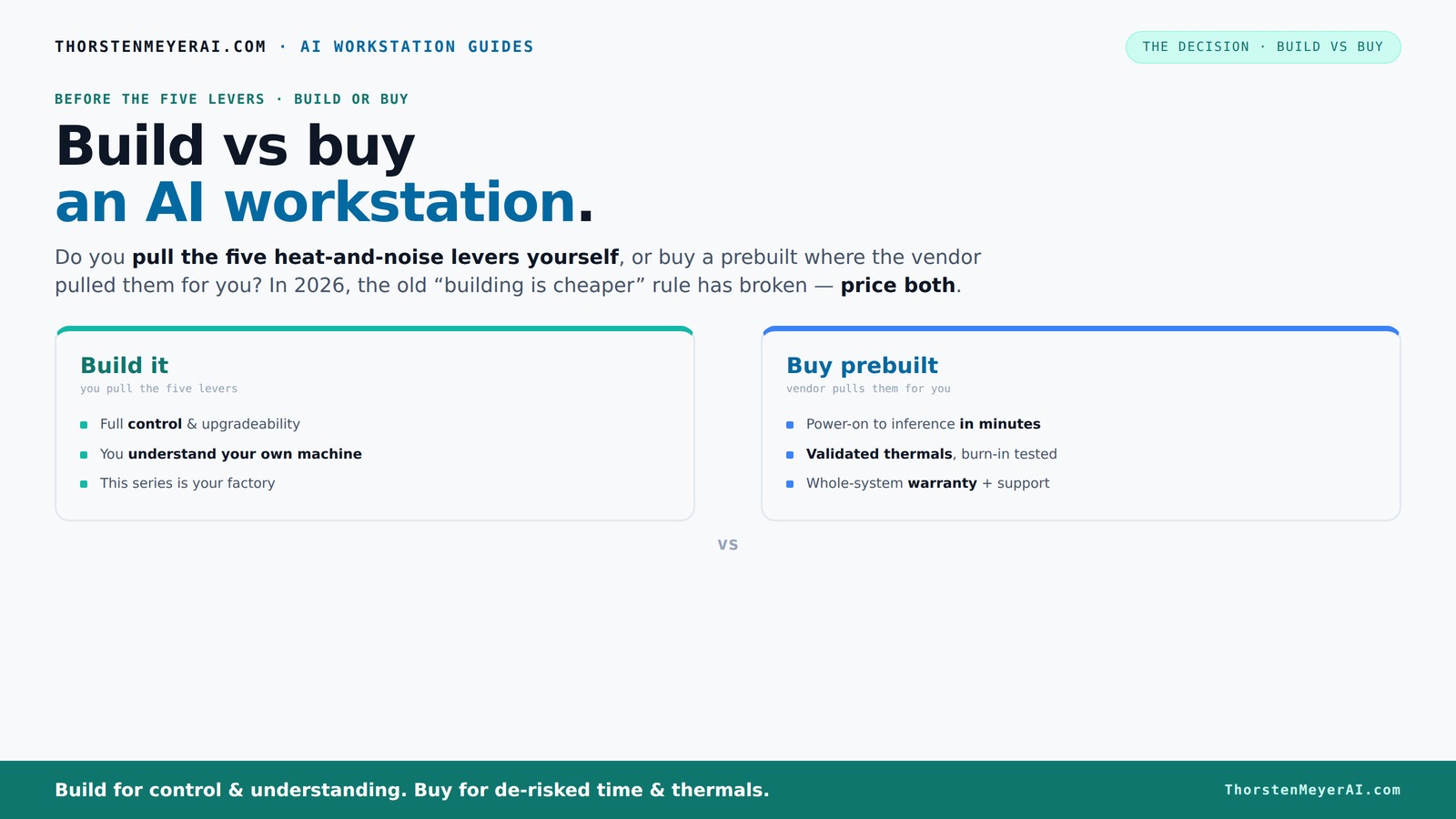
Build vs buy
an AI workstation.
The real question behind this whole series: do you pull the five heat-and-noise levers yourself, or buy a prebuilt where the vendor pulled them for you? And in 2026, the old “building is cheaper” rule has broken. Match your situation in Part 3.
Key Takeaways
- Market shortages in 2026 have made prebuilt AI workstations often match or beat DIY costs, overturning the old rule that building is always cheaper.
- Prebuilts save time with plug-and-play setup, validated thermals, and included support, making them ideal for quick deployment and long workloads.
- DIY builds offer unmatched control over components, cooling, and upgradability but require time, expertise, and patience.
- The decision depends less on cost and more on your priorities: speed and support versus control and customization.
- Always compare the exact configuration prices today — market conditions have shifted the traditional build vs buy calculus.
As an affiliate, we earn on qualifying purchases.
Why 2026 Changes Everything: Build vs Buy Costs and Value
Building your own AI workstation used to be the smart money choice. You’d pick your parts, assemble, and often pay less than a prebuilt with similar specs. But in 2026, the landscape shifted. Component shortages and demand spikes for GPUs, RAM, and SSDs have driven prices sky-high, making build vs buy decisions more complex. A build that once cost $1,000 now easily hits $1,250 or more before you add an OS or peripherals.
This increase means that the traditional advantage of DIY — lower cost — is diminishing or disappearing altogether for high-end systems. When components are scarce or inflated, the cost savings are less predictable and can lead to budget overruns. For more insights, see build vs buy a prebuilt AI workstation. This situation forces a deeper consideration of tradeoffs: is the slight cost saving worth the extended wait, potential compatibility headaches, or the added effort? On the other hand, large manufacturers like Dell and Lambda have secured bulk discounts, allowing them to offer high-performance systems at comparable or even lower prices than custom builds. The implication is that in 2026, cost is no longer the sole driver; speed of deployment, reliability, and support become equally critical. Therefore, a thorough, real-time price comparison that considers current market volatility is essential for making an informed choice. This market dynamic shifts the traditional rule that DIY is always cheaper, highlighting the importance of strategic evaluation beyond initial costs.
As an affiliate, we earn on qualifying purchases.
The Five Levers of a High-Performance AI Workstation — Who Pulls Them?
Running a powerful AI system smoothly depends on five key factors: undervolting GPUs, matching cooling systems, optimizing airflow, tuning fan curves, and proper placement. When you buy prebuilt, the vendor handles all this — they validate thermals, tune fans, and often include water-cooling, making the system quieter and more reliable.
If you build it yourself, you control every lever. You choose a quiet GPU, undervolt it, pick a case with soundproofing, and set up airflow for maximum efficiency. For detailed tips, visit ittiri.net. This gives you a machine tailored precisely to your needs, but it requires time, knowledge, and effort. For example, a DIYer might spend weekends fine-tuning fan curves and testing thermal performance, whereas a prebuilt comes ready to run. The tradeoff here is control versus convenience: DIY allows you to optimize performance and noise levels exactly as you want, which can be critical for certain workloads or environments. However, it also means investing time and acquiring expertise in thermal management, which can be complex and sometimes frustrating. The deeper implication is that the thermal and acoustic tuning you perform can significantly impact your system’s longevity, stability, and efficiency. Poor thermal management can cause thermal throttling, reducing performance, or even hardware failure. Conversely, well-tuned thermals extend component lifespan and ensure consistent performance during long, intensive training sessions. Therefore, understanding who pulls these levers—and why—can be the difference between a reliable, quiet system and one plagued with overheating or noise issues.
As an affiliate, we earn on qualifying purchases.
When Buying Prebuilt Makes Sense — Speed, Support, and Reliability
If you need a machine fast, a prebuilt is your best bet. It comes with the OS installed, drivers configured, and often a support plan. For busy professionals or startups, that quick plug-and-play setup can save days or weeks.
Reputable vendors like Puget or Lambda test their systems under sustained loads, ensuring no thermal throttling during long training sessions. They offer warranties — sometimes up to five years — covering parts and labor. This support can be a game-changer: knowing you have expert help if something goes wrong reduces downtime and mitigates risk, especially for critical workloads. Learn more about prebuilt systems at buzzytravel.com. For example, a researcher running multi-GPU training benefits from systems that have been validated for thermal and power stability, avoiding the trial-and-error of DIY setups. When your project deadlines depend on hardware reliability, prebuilt systems with professional validation and support are often worth the extra cost, providing peace of mind and minimizing unexpected delays. The key practical takeaway is that if your priority is speed, reliability, and minimal hassle, investing in a prebuilt with solid support is often the best decision, especially for complex or mission-critical workloads. This reduces the cognitive load and technical troubleshooting, allowing you to focus on your work rather than hardware issues. The deeper implication is that in high-stakes environments, the assurance of tested, supported systems can translate into tangible productivity gains, risk mitigation, and long-term savings.
As an affiliate, we earn on qualifying purchases.
When Building Yourself Is Still a Win — Custom Control and Flexibility
If you have the time, patience, and technical skills, building your own AI workstation offers unmatched control. You pick each component — from the GPU with maximum VRAM to the quietest PSU — and tune everything for your workload.
For example, a hobbyist might select a GPU like the RTX 4090 with 24GB VRAM, add a premium silent cooler, and set up custom airflow to keep noise low. You also gain the ability to upgrade parts later, replacing only what’s needed, and to troubleshoot issues yourself without waiting for support. This flexibility is particularly valuable if your workload evolves or if you want to optimize for specific tasks, such as multi-GPU training or specialized cooling solutions. However, the deeper tradeoff is that this control comes with complexity. Compatibility issues, BIOS configurations, and thermal management require a solid understanding of hardware interactions. Mistakes here can lead to performance bottlenecks, hardware failures, or costly delays. Additionally, the initial setup can take weeks, especially if you’re learning as you go, and troubleshooting can be time-consuming. Therefore, the real implication is that while DIY offers the potential for a highly tailored, upgradeable system, it demands a significant investment in time, technical skill, and patience. For those who enjoy the process and are willing to accept the learning curve, it can be rewarding. But for users seeking a reliable, high-performance system with minimal hassle, a prebuilt with support remains the pragmatic choice, ensuring stability and performance without the steep learning curve.
Comparison Table: Build vs Buy — What’s Really Different?
| Feature | Build Your Own | Buy Prebuilt |
|---|---|---|
| Cost (performance per dollar) | Often cheaper when components are available, but market shortages are shifting this advantage | Can match or beat DIY prices due to bulk discounts and component deals |
| Speed to deployment | Weeks of sourcing, assembly, and testing | Days, sometimes hours — ready to run out of the box |
| Customization | High — choose exact GPU, RAM, cooling, and case | Limited — configurations often predefined by the vendor |
| Support & warranty | Individual warranties; troubleshooting can be complex | System-level support; often includes warranty for parts and labor |
| Upgradability | Excellent — replace or upgrade individual parts | Variable — depends on proprietary design; often more limited |
| Time & effort | High — assembly, testing, troubleshooting | Low — plug in and go |
Which Approach Fits Your Scenario? A Quick Guide
Choosing between build and buy depends on your priorities. If you’re a hobbyist or student with time, building can be rewarding and cost-effective. For startups, researchers, or those who need reliability and speed, prebuilt systems often make more sense.
For example:
- If you want a high-end, future-proof machine with easy upgrades — build it yourself.
- If you need a working system tomorrow with minimal fuss — buy prebuilt.
- If your workload involves multi-GPU setups and long runs — consider vendor validation and support.
Total Cost of Ownership — Beyond the Purchase Price
Price tags are just the start. Building your own rig might save money upfront, but consider repair costs, downtime, and resale value. Prebuilts often include support and warranties that reduce unexpected expenses.
For instance, a DIY system might cost $1,500 initially, but if a GPU fails after a year, repairs could take days or weeks. A prebuilt with a 3-year warranty might cover replacement and support, minimizing downtime. This has significant implications: the true cost of ownership extends beyond the initial purchase, especially when factoring in potential repairs, system downtime, and the value of support services. A DIY system’s savings can be offset by unforeseen repair costs or longer downtimes, which may affect productivity or project timelines. Conversely, the added expense of a support-backed prebuilt can be viewed as an investment in peace of mind, reducing the risk of costly delays. The broader message is that a holistic view of total cost of ownership, including reliability, support, and upgradability, is essential to making a smarter, long-term decision about your AI workstation.
Frequently Asked Questions
Is it cheaper to build or buy an AI workstation in 2026?
It depends. Due to market shortages, prebuilt systems often match or beat DIY costs for high-end machines. Always compare prices for your exact specs before deciding.Which option provides better performance for AI training per dollar?
Both can deliver similar performance, but prebuilts often include validated thermals and support, which can improve real-world efficiency and reduce downtime. DIY allows more component control for tailored performance.How much VRAM do I need for AI workloads?
For most training tasks, at least 12–16GB VRAM is recommended. Large models or multi-GPU setups benefit from 24GB or more. Your workload dictates the VRAM budget.Can I upgrade a prebuilt later, especially GPU and PSU?
It varies. Some prebuilts are modular enough for upgrades, but many use proprietary layouts or limited space. Check the warranty and component access before buying.What cooling solutions do high-end AI workstations need?
Heavy workloads generate heat. Air cooling with high-quality fans works, but liquid cooling often offers quieter, more consistent temperatures — especially in multi-GPU setups.Conclusion
The choice between building and buying your AI workstation isn't about which is better — it’s about what matters most to you. If you want speed, support, and reliability, a prebuilt often wins. But if control, customization, and learning drive you, building remains a rewarding challenge.
In 2026, the best decision balances your workload needs, budget, and patience. The real winner is the one that gets you working fast and keeps your system humming smoothly for the long haul. So, what will you choose today?
Fall Picks
fall essentials
As an affiliate, we earn on qualifying purchases.