TL;DR

Get travel and outdoor gear delivered free — and shop member deals
- Fast, free delivery on millions of items
- Access to Prime Big Deal Days deals on October 6–7
- Prime Video, Amazon Music and more included
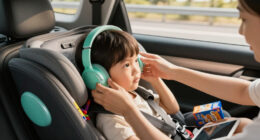
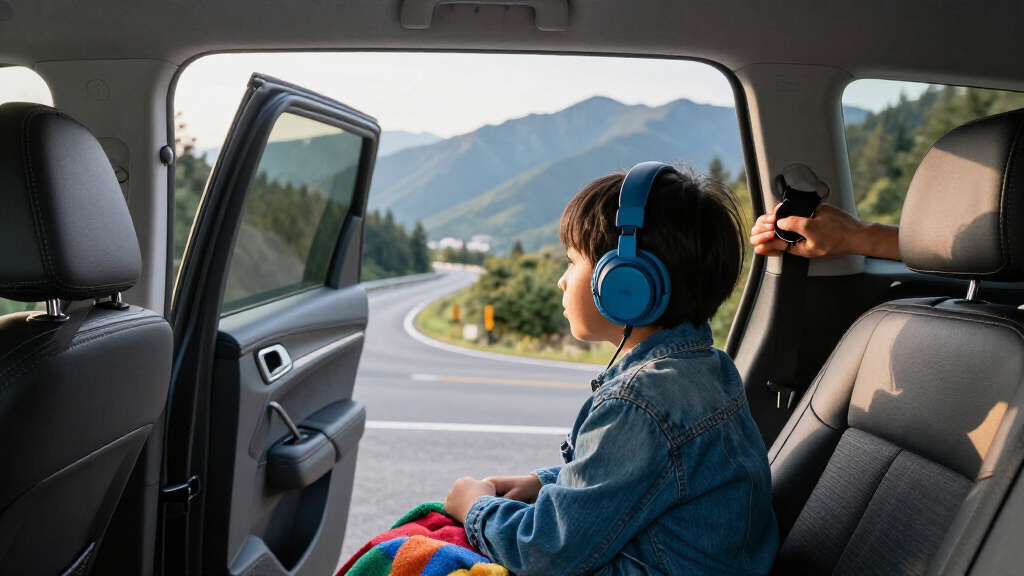
For family road trips, choose kids’ headphones that fit comfortably, connect to your child’s device, and make it easy to keep listening volume low. Active noise cancellation can soften steady engine rumble, while padded ear cups block some sound passively; neither makes the car silent or replaces supervision and listening breaks. Compare the JBL JR 460NC, iClever BTH26, Candy Bila light-up cat-ear model, and non-electronic 28dB SNR ear muffs by checking current specifications and your child’s needs.
A quiet back seat can turn a long drive from a chorus of “Are we there yet?” into a stretch of music, stories, and calm. But headphones that pinch, run out of charge, or tempt a child to turn the volume up can create a fresh problem before you reach the highway.
This guide helps you compare the best noise-cancelling headphones for kids on family road trips by fit, sound control, battery, and how they work with your car’s devices. You’ll also find practical ways to set them up while parked and keep your child connected to you along the way.
ANC can reduce steady engine and road rumble; padded ear cups block some noise passively, and neither makes the car silent.
Choose by comfort, fit, controls, connection, and battery—not by a product label alone.
Treat an advertised volume limit, including an 85 dB claim, as one safeguard; start low and plan listening breaks.
Test the headphones, offline downloads, and audio connection while parked before a long drive.
Check car-seat and headphone instructions so the headphones do not interfere with the restraint, and keep supervising your child.
Know what ANC can—and can’t—do in your car
The best noise-cancelling headphones for kids on family road trips soften some steady sounds, especially the low engine and tire rumble you hear on a long highway stretch. They do not make the cabin silent, and they will not erase every voice, horn, or sudden sound.
Active noise cancellation (ANC) uses microphones and electronics to reduce certain steady low-frequency sounds. Passive noise isolation comes from the ear cups physically covering the ears; a secure fit and soft padding can block some sound without electronics. The two approaches can work together, but their effect depends on the headphones, the fit, and the sound around your child.
Think about a drive with a steady engine hum and a younger sibling singing from the next seat. ANC may take the edge off the hum, while the ear cups may muffle some singing. Neither feature guarantees that your child can’t hear you, so speak clearly and check in as usual.
Some children also dislike ANC’s pressure-like sensation or prefer to hear more of what’s happening around them. If that sounds like your child, test the headphones and each available setting at home or while parked before a long drive.
Compare four options by the job you need them to do
The best noise-cancelling headphones for kids on family road trips are the ones that suit your child’s ears, device, and patience for charging. These four alternatives cover different shopping needs, but the available comparison details do not establish shared specifications, so check each model’s current fit, limits, connectivity, and battery details before choosing.
| Option | May suit you if… | Check before buying |
|---|---|---|
| JBL JR 460NC Kids Headphones | You want to investigate a children’s model specifically presented with ANC. | Current volume controls, fit range, connection options, battery details, and compatibility with your child’s device. |
| iClever BTH26 Active Noise Cancelling Headphones for Kids | You’re comparing another iClever option in the ANC category. | Current specifications and how they differ from the pair you’re replacing, including comfort and charging. |
| Candy Bila Kids Bluetooth Headphones with ANC and Light-Up Cat Ears | Your child is drawn to playful styling and wants wireless listening. | Whether the lights can be turned off, along with ANC behavior, weight, fit, volume guidance, and battery details. |
| Kids’ 28dB SNR ear muffs | You want to compare non-electronic noise-reducing ear muffs for quiet time without music. | What the SNR figure means for the product, sizing, comfort, and whether your child can hear you clearly. |
For example, an older child watching a downloaded film might value Bluetooth and ANC, while a toddler who wants quiet during a nap may do better with comfortable ear muffs—or no headphones at all. A feature name does not tell you how a particular child will respond.
Model features and listings can change. Check the manufacturer’s current product information and the seller’s specification details before you buy; don’t assume that a model’s name confirms a particular limiter, connection, or battery claim.
Check these six details before you pick a pair
Choose road-trip headphones by checking fit, listening controls, connection, power, durability, and ease of use. These details matter on the third hour of a drive, when a tight headband or dead battery can outweigh a long feature list.
- Fit and comfort: Look for an adjustable headband and ear cushions that sit comfortably without pinching. Consider whether the set feels heavy or warm. If possible, let your child wear it for a short stretch before the trip.
- Volume controls: Check whether the model lists a child-focused volume limit, but treat it as one safeguard. The level your child hears can vary with the source device, recording, and connection. Set a low volume and take breaks.
- Wired or wireless use: Bluetooth keeps a cable from trailing across the seat. A wired connection avoids dependence on headphone charge and may suit some car entertainment systems. Confirm ports, Bluetooth support, and any adapter you need.
- Battery and charging: Compare the stated battery life with your actual drive time, and bring the right charging cable or a backup. ANC can use more power. Check whether the headphones can play while charging instead of assuming they can.
- Durability and storage: Folding hinges and a case can make packing easier. Think about whether your child tends to stuff headphones into a backpack or twist the ear cups in their hands.
- Simple controls: Large, easy-to-find buttons can save you from reaching over the seat every time your child needs to pause a story or lower the volume.
Consider a family driving from Berlin to the coast: the advertised battery figure may sound generous, but navigation stops, waiting in traffic, and a forgotten charging cable can change the day. A quick check of charge, cable, and controls at home takes little time and can prevent a mid-trip scramble.
Treat a volume limiter as a helpful guardrail
A volume limit can help keep a child’s headphones from reaching the level the maker intends to cap, but the label alone cannot promise safe listening in every setup. The actual sound level may change with the tablet, recording, connection, and how the headphones fit.
You may see children’s models advertise limits such as 85 dB. Read that as a product claim to check, not permission to leave the volume high for hours. Set the level low enough that your child stays comfortable, and invite them to tell you if they want it louder or if their ears feel tired.
For instance, a quiet audiobook may be easy to hear at a low setting, while a softly mixed video may tempt a child to press the volume-up button. Check the source and device settings, then adjust the playback level rather than relying on one number printed on a box.
A limiter is one guardrail, not a substitute for low-volume habits, listening breaks, and adult check-ins.
Build breaks into the drive: pause playback at stops, offer time without headphones, and keep an eye on how your child feels. If they take the headphones off, complain of discomfort, or repeatedly turn the volume up, revisit the fit and sound level.
Make the first five minutes of the trip easier
A five-minute setup while parked can prevent most headphone frustrations once the car is moving. Charge the headphones and device, download entertainment for offline use, connect the audio, and let your child try the controls before you pull away.
- Test the fit while parked. Adjust the headband and check that the ear cups sit comfortably. Ask your child to wear them for a few minutes and say whether anything pinches or feels odd.
- Try the sound setting. Start quietly, test ANC if the headphones offer it, and let your child tell you whether the effect feels comfortable. Some models may offer transparency settings that let more outside sound through; check the current product details.
- Check the connection. Pair Bluetooth or plug in the cable. If you’re using the car’s screen, tablet, or entertainment system, confirm that the sound comes through the headphones and that any needed adapter works.
- Queue offline entertainment. Download a film, audiobook, playlist, or a few episodes before the drive. Mobile coverage can disappear in a tunnel or on a rural road.
- Agree on a simple signal. Tell your child how to get your attention, such as a tap on the shoulder when the car is stopped safely. Keep checking in yourself instead of assuming that you’ll hear every request.
Picture the family pulling out of the driveway with a tablet at 3% and a password prompt waiting on the streaming app. Downloading a story the night before and testing one episode while parked turns that scene into a calmer start.
ANC may use extra power, so check the battery before setting out and bring the correct cable. Also check the product instructions before using headphones while they charge; charging and playback support varies by model.
Choose between Bluetooth and a cable based on your car
Bluetooth suits a child using a tablet or phone that pairs easily, while a wired pair can work well if your car’s screen has a compatible headphone socket. Neither connection is the automatic winner; the source device decides what will be easiest.
Before buying, check the device your child will use. Some newer tablets have no standard headphone jack, so a wired pair may need an adapter. Some in-car entertainment screens handle wired connections better than Bluetooth, while other systems may not support private headphone audio at all.
Imagine two siblings watching the same downloaded movie on one tablet. Some source devices support sharing audio to two Bluetooth headphones, but that depends on the device and setup. Check that sharing works before the trip, or plan a turn-taking routine or separate source device.
Microphones can matter if a child uses the headphones for calls or online games, but they may add little on a road trip focused on films and stories. If you need one, verify that the mic works with the intended tablet or phone and that the child can mute it easily.
Keep headphones clear of car-seat straps
Headphones must not interfere with a properly fitted car seat, harness, or booster setup. Check the instructions from both the car-seat maker and the headphone maker, and make sure the seat belts and harness remain positioned and secured as directed.
Soft ear cups may seem harmless, but comfort accessories should never change how the restraint sits or how you tighten it. If the headphones push against the seat, catch under a strap, or make it hard to check the fit, take them off and choose another way to entertain your child.
For example, a toddler may shift around to press bulky cups against the side of the seat. Pause safely and check the restraint and the child’s comfort instead of trying to adjust straps around the headphones while driving.
Headphones also reduce how much of the cabin a child hears. Keep supervision in place: check on your child, make sure they know how to signal you, and use a setting that lets them hear you when needed. Headphones are for entertainment or comfort, never a replacement for an attentive adult.
If your child dislikes ANC, make the trip comfortable another way
If ANC feels strange to your child, turn it off or switch to a more open listening setting if the headphones offer one. A child who feels uneasy is unlikely to enjoy the ride just because the feature sounds useful on paper.
Try a short test at home or while parked. Ask whether the ear cups feel tight, warm, or pressure-like, and check whether the ANC setting can be adjusted. Some children prefer ordinary headphones at a low volume; others want no audio and would rather listen to a story with you.
Suppose your child removes the headphones after ten minutes because the ear cups feel hot. A lighter pair with a comfortable fit—or a break without headphones—may be more useful than stronger noise reduction. A quiet activity, downloaded audiobook through the car speakers, or a conversation game can fill the gap.
Don’t push a child to wear headphones through discomfort. Fit and willingness matter more than a long specification list, especially on a drive where your child will be wearing them for extended stretches.
Use a quick checklist before the wheels turn
A short pre-drive check catches the problems that matter most: low battery, forgotten downloads, a poor fit, and controls your child can’t manage. Run through it before you leave, then take a moment at a safe stop if anything changes.
- Charge: Headphones and playback device are ready, with the right cable packed.
- Download: Your child’s film, music, or audiobook works offline.
- Connect: Bluetooth or wired audio plays through the intended headphones.
- Fit: Ear cups sit comfortably and do not disrupt the car-seat setup.
- Sound: Volume starts low; your child knows how to pause and get your attention.
- Breaks: You have a plan for time without headphones and regular check-ins.
For a four-hour family trip, you could queue a story for the first stretch, take a break at a rest stop, then offer a film later. That small rhythm gives your child something to look forward to while keeping the headphones from becoming the only way to manage the drive.
If two children are sharing audio, test the arrangement before leaving and pack a backup activity in case the connection fails. A paper map game or a favorite sing-along can rescue the moment when technology gets stubborn.
Frequently Asked Questions
Do kids’ headphones really cancel road noise?
ANC can soften steady low-frequency sounds such as engine and road rumble. Padded ear cups also block some sound passively, but neither feature makes a moving car silent or removes every voice and sudden noise.
Are noise-cancelling headphones safe for children?
Headphones can be used thoughtfully, but no feature makes them automatically safe for every child or situation. Keep the volume low, plan breaks, supervise your child, and check that the headphones do not interfere with the car seat or harness.
Is an 85 dB volume limit enough to protect hearing?
An advertised limit can be a helpful guardrail, but the level heard may vary with the device, recording, and connection. Start at a low setting, encourage breaks, and check the manufacturer’s current specifications rather than relying on the label alone.
Are wired or Bluetooth headphones better for a road trip?
Bluetooth avoids a cable across the seat, while wired headphones can work without their own battery and may suit some car systems. Check the child’s tablet or screen for compatible connections and adapters, then test the setup before departure.
Can my child wear headphones in a car seat?
Only use them if they do not interfere with a properly fitted car seat, harness, or booster. Follow the instructions from both manufacturers; if the headphones push against the seat or affect strap placement, remove them.
Conclusion
Pick the pair your child can wear comfortably, connect to your car’s setup, and use at a low volume. Check current specifications before buying, test everything while parked, and keep breaks and adult check-ins part of the ride.
The best road-trip soundtrack is the one that leaves room for a story, a question from the back seat, and the open road ahead.
Evergreen bestsellers Picks
bestsellers
As an affiliate, we earn on qualifying purchases.