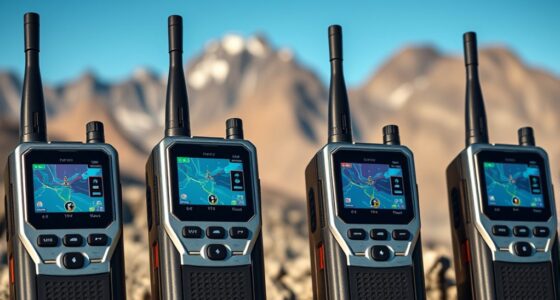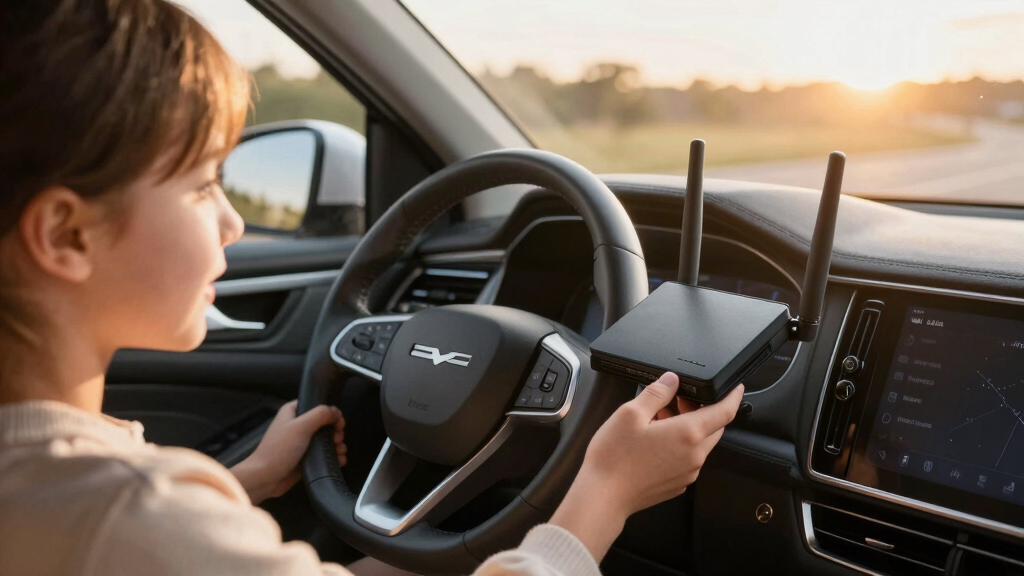

Finding the best in-car Wi-Fi router for family road trips involves balancing performance, portability, and ease of use. The GL.iNet GL-BE3600 Slate 7 stands out for its Wi-Fi 7 support and touchscreen, offering fast, reliable connections. For those needing a simple LTE hotspot, the TravlFi JourneyGo LTE RV WiFi Hotspot provides dependable coverage. The main tradeoffs in this category often involve choosing between advanced features and ease of setup, or between portability and raw speed. Continue reading for a detailed breakdown of each option and what makes them suitable for different needs.

Get travel and outdoor gear delivered free with Prime
- Fast, free delivery on millions of items
- Prime Video, Amazon Music and more included
- Member-only deals all year
Complete the kit



Key Takeaways
- Top picks balance advanced connectivity standards like Wi-Fi 6/6E with portability for family trips.
- The best overall router combines speed, ease of use, and reliable coverage in a compact form.
- Price varies significantly based on features like VPN support, LTE fallback, and touchscreen interfaces.
- Tradeoffs often involve choosing between cutting-edge tech (Wi-Fi 7) and straightforward LTE hotspots.
- Universal compatibility and simple setup remain key for family-friendly usability.
| GL.iNet GL-BE3600 Slate 7 Wi-Fi 7 Travel Router with Touchscreen |  | Best Overall for Advanced Customization and High-Speed Connectivity | Wi-Fi generation: Wi-Fi 7 | Frequency bands: Dual-band, 2.4 GHz and 5 GHz | Wireless speed: 688 Mbps (2.4 GHz) + 2882 Mbps (5 GHz) | VIEW LATEST PRICE | See Our Full Breakdown |
| TravlFi JourneyGo LTE RV WiFi Hotspot |  | Best for RVs Needing a Dedicated Cellular Internet Solution | Connectivity: LTE cellular hotspot | SIM: e-SIM | Data plans: Prepaid options from 2 GB to unlimited | VIEW LATEST PRICE | See Our Full Breakdown |
| TIANJIE U8 4G LTE USB WiFi Router |  | Best Compact USB Solution for Lightweight Travel Connectivity | Maximum download speed: 150 Mbps | Connected devices: Up to 10 | Power: USB 5V | VIEW LATEST PRICE | See Our Full Breakdown |
| TP-Link Roam 7 BE3600 Wi-Fi 7 Portable Travel Router |  | Best for Versatile Network Creation from Public Wi-Fi and Tethering | Wi-Fi standard: Wi-Fi 7 | Wireless speeds: Up to 2882 Mbps (5 GHz) | Maximum connected devices: 90 | VIEW LATEST PRICE | See Our Full Breakdown |
| GL.iNet GL-AXT1800 Slate AX Pocket-Sized Wi‑Fi 6 Travel Router with VPN |  | Best for Wi-Fi 6 Speed and Large Device Capacity in a Compact Form | Wi-Fi standard: Wi-Fi 6 (802.11ax) | Combined Wi-Fi speed: 1800 Mbps | Maximum connected devices: 120 | VIEW LATEST PRICE | See Our Full Breakdown |
| GL.iNet GL-MT3000 Beryl AX Wi-Fi 6 Travel Router |  | Best Overall for Security and Customization | Model: GL-MT3000 Beryl AX | Wi-Fi: Dual-band Wi-Fi 6 | Wireless speed: 574 Mbps (2.4 GHz) + 2402 Mbps (5 GHz) | VIEW LATEST PRICE | See Our Full Breakdown |
| TP-Link Roam 6 AX1500 Portable Wi-Fi 6 Travel Router |  | Best for Large Device Support and Easy Management | Wi-Fi standard: Wi-Fi 6 | Dual-band speeds: Up to 1,201 Mbps (5 GHz) and 300 Mbps (2.4 GHz) | Maximum devices: Up to 60 | VIEW LATEST PRICE | See Our Full Breakdown |
More Details on Our Top Picks
GL.iNet GL-BE3600 Slate 7 Wi-Fi 7 Travel Router with Touchscreen
This model stands out for combining cutting-edge Wi-Fi 7 technology with a user-friendly touchscreen, making it ideal for families who want fast, reliable internet on the road. Unlike the TP-Link Roam 7, which leans more toward simple network creation, the GL.iNet GL-BE3600 offers extensive customization thanks to OpenWrt, supporting VPNs and advanced network controls. However, its reliance on subscription services for VPN speeds and the need to preconfigure toggle buttons can be a hurdle for less tech-savvy users. The dual 2.5G Ethernet ports and USB 3.0 ensure wired and peripheral flexibility, making it suitable for tech-heavy setups. The tradeoff is that this router’s complexity and higher price point might not appeal to casual users seeking plug-and-play solutions.
Pros:- Supports Wi-Fi 7 for top-tier speeds and future-proofing
- Touchscreen simplifies network management and status checks
- Supports OpenWrt, allowing extensive customization and plugins
- Dual 2.5G Ethernet ports for wired device connections
Cons:- VPN services require ongoing subscription costs
- Preconfigured toggle buttons need setup before use
- Real-world speeds depend on network environment
Best for: Tech-savvy families needing fast, customizable network options with high device capacity
Not ideal for: Families seeking a straightforward, no-fuss setup without advanced features or VPN customization
- Wi-Fi generation:Wi-Fi 7
- Frequency bands:Dual-band, 2.4 GHz and 5 GHz
- Wireless speed:688 Mbps (2.4 GHz) + 2882 Mbps (5 GHz)
- Ethernet ports:2 × 2.5G (1 WAN, 1 LAN)
- USB port:USB 3.0
- Security:WPA3, DNS over HTTPS, DNS over TLS
Our verdict“Best suited for families who want a high-speed, customizable travel router with advanced network controls.”
TravlFi JourneyGo LTE RV WiFi Hotspot
This portable hotspot offers a straightforward way to stay connected in remote areas, making it ideal for RV owners who prefer cellular over Wi-Fi networks. Compared with the TP-Link Roam 7, which can create private networks from multiple sources, the JourneyGo focuses solely on cellular connectivity, requiring a cellular signal to operate. Its e-SIM technology and prepaid plans provide flexibility without long-term contracts, but it’s reliant on cellular signal strength, which can vary greatly. This device is perfect for families venturing into areas with limited Wi-Fi but less suitable for urban settings with strong Wi-Fi infrastructure. The main tradeoff is that it cannot function without cellular coverage, limiting its use in some scenarios.
Pros:- Portable and easy to carry on the go
- No physical SIM needed, e-SIM simplifies setup
- Flexible prepaid data plans without contracts
- Designed specifically for RV and travel use
Cons:- Requires cellular network coverage to function
- Dependent on cellular signal quality in remote areas
- Limited to cellular data speeds and coverage
Best for: Families traveling in RVs or remote locations needing reliable cellular internet
Not ideal for: Urban or suburban families with consistent access to public Wi-Fi, as the device depends on cellular coverage
- Connectivity:LTE cellular hotspot
- SIM:e-SIM
- Data plans:Prepaid options from 2 GB to unlimited
- Coverage:Nationwide cellular networks in the U.S.
- Use requirement:Cellular connection required
Our verdict“Ideal for families who need a dedicated, portable cellular hotspot for remote or RV travel.”
TIANJIE U8 4G LTE USB WiFi Router
The TIANJIE U8 offers a simple, portable option for families needing a quick, plug-and-play Wi-Fi hotspot. Unlike the more feature-rich GL.iNet or TP-Link models, the U8’s main advantage is its tiny size and USB power, making it ideal for emergency connectivity or supplementing existing networks. It supports up to 10 devices, which is sufficient for casual use, but its reliance on a compatible 4G LTE SIM and carrier support can limit performance and coverage. It’s less suited for tech-heavy families wanting extensive customization or high-speed performance, but it provides a reliable, no-fuss connection when portability is prioritized over advanced features.
Pros:- Extremely lightweight and portable
- USB-powered, no built-in battery needed
- Easy to set up with compatible SIM cards
- Supports up to 10 devices
Cons:- Requires a compatible LTE SIM and carrier support
- Limited to advertised speeds depending on carrier
- No advanced features or customization
Best for: Families needing a lightweight, portable Wi-Fi hotspot with basic connectivity
Not ideal for: Tech-savvy families requiring advanced security, customization, or high speeds
- Maximum download speed:150 Mbps
- Connected devices:Up to 10
- Power:USB 5V
- Supported LTE bands:B2/B4/B5/B7/B12/B13/B17/B25/B26/B28/B41/B66/B71
- Size:28 grams
- Security protocols:WEP, WPA, WPA2
Our verdict“Perfect for families seeking a compact, straightforward hotspot for occasional travel use.”
TP-Link Roam 7 BE3600 Wi-Fi 7 Portable Travel Router
The TP-Link Roam 7 is designed for families who need to extend or secure existing internet sources, such as public Wi-Fi or tethered connections. It supports up to 90 devices, making it suitable for larger groups or multiple gadgets, but it doesn’t include OpenWrt support, unlike the GL.iNet model. Its multiple operating modes—router, hotspot, access point, range extender—add versatility, yet the lack of 6 GHz support limits future-proofing. Compared to the GL-BE3600, which offers Wi-Fi 7 and advanced security, the Roam 7 trades some speed for broader device support and ease of use. Its main drawback is the absence of open-source firmware, which might restrict customization for tech enthusiasts.
Pros:- Creates a private network from public Wi-Fi or tethered connections
- Supports up to 90 devices simultaneously
- Multiple operating modes for maximum flexibility
- Multi-gigabit wired ports and USB 3.0
Cons:- No support for Wi-Fi 6 or 7 (only Wi-Fi 5)
- Does not support OpenWrt for customization
- No 6 GHz band support
Best for: Families needing to turn public Wi-Fi into a secure private network with flexible device support
Not ideal for: Tech enthusiasts wanting open-source firmware or Wi-Fi 6/7 speeds
- Wi-Fi standard:Wi-Fi 7
- Wireless speeds:Up to 2882 Mbps (5 GHz)
- Maximum connected devices:90
- Ports:1x 2.5 Gbps WAN, 1x 1 Gbps LAN, USB 3.0
- Operating modes:Router, Hotspot, Access Point, Range Extender, Client
- OpenWrt support:No
Our verdict“Best for families needing a flexible, multi-mode router to secure shared public or tethered connections.”
GL.iNet GL-AXT1800 Slate AX Pocket-Sized Wi‑Fi 6 Travel Router with VPN
The GL.iNet Slate AX offers Wi-Fi 6 performance with impressive speeds and device capacity, making it an excellent choice for families with many devices. While it doesn’t support the 6 GHz band available in Wi-Fi 7 routers like the GL-BE3600, its support for MU-MIMO and OFDMA ensures efficient multi-device handling. Compared with the TP-Link Roam 7, which lacks OpenWrt support, the Slate AX runs OpenWrt 21.02, enabling VPNs and advanced customization. Its USB port for NAS sharing adds convenience, but the single gigabit Ethernet port limits wired connectivity options. This model balances speed, capacity, and customization for families who prioritize performance in a portable package.
Pros:- Supports Wi-Fi 6 with high combined throughput
- Supports up to 120 devices simultaneously
- Runs OpenWrt for VPN and advanced network control
- USB port for NAS or file sharing
Cons:- Limited to a single gigabit Ethernet port
- Physical toggle switch requires initial configuration
- No support for Wi-Fi 6E or 6 GHz band
Best for: Families needing high device capacity and Wi-Fi 6 speeds with VPN support
Not ideal for: Less tech-inclined users who want simple, out-of-the-box setups without customization
- Wi-Fi standard:Wi-Fi 6 (802.11ax)
- Combined Wi-Fi speed:1800 Mbps
- Maximum connected devices:120
- Ports:1x Gigabit Ethernet, USB-C, USB-A
- Operating System:OpenWrt 21.02
- VPN support:OpenVPN, WireGuard
Our verdict“Ideal for families who want high-speed Wi-Fi 6 with extensive device support and customization options.”
GL.iNet GL-MT3000 Beryl AX Wi-Fi 6 Travel Router
The GL.iNet GL-MT3000 Beryl AX stands out for its combination of Wi-Fi 6 speed, advanced security features, and flexible VPN support, making it ideal for families prioritizing privacy on the go. Compared with the TP-Link Roam 6, which offers higher raw speeds but lacks OpenWrt support, this model provides greater control and security customization, especially with its OpenWrt firmware. However, setting up VPNs requires an active subscription and some prior configuration, which may challenge less tech-savvy users. Its dual-band Wi-Fi 6, 2.5G WAN port, and encrypted DNS make it well-suited for secure streaming and device management during long trips. This pick makes the most sense for tech-minded families who want security and flexibility without sacrificing speed, but it’s less ideal for those seeking a plug-and-play experience.
Pros:- Supports OpenWrt 21.02 for extensive customization
- Dual-band Wi-Fi 6 with high-speed throughput
- Includes a 2.5G WAN port and gigabit LAN for fast wired connections
- Enhanced security with WPA3 and encrypted DNS
Cons:- VPN services require an active subscription, adding ongoing costs
- Physical toggle button needs pre-configuration in admin panel
Best for: Families who need a highly customizable, secure Wi-Fi solution with fast speeds and VPN support
Not ideal for: Travelers seeking a simple, no-fuss device with minimal setup or technical tweaking
- Model:GL-MT3000 Beryl AX
- Wi-Fi:Dual-band Wi-Fi 6
- Wireless speed:574 Mbps (2.4 GHz) + 2402 Mbps (5 GHz)
- WAN port:2.5G
- LAN port:1 Gbps
- Firmware:OpenWrt 21.02
- VPN protocols:OpenVPN and WireGuard
- Security:WPA3, DNS over HTTPS, DNS over TLS, IPv6
Our verdict“This router is perfect for tech-savvy families wanting security, speed, and customization, but less suitable for those seeking simplicity.”
TP-Link Roam 6 AX1500 Portable Wi-Fi 6 Travel Router
The TP-Link Roam 6 AX1500 offers impressive speeds up to 1,201 Mbps on 5 GHz, supporting up to 60 devices simultaneously, making it ideal for busy family trips with many gadgets. Unlike the GL.iNet GL-MT3000, which emphasizes security and customization, this model emphasizes ease of use and device capacity, with simple management via the Tether app. Its lack of OpenWrt support means less customization but a more straightforward setup. The router’s modes—router, access point, repeater, and client—offer versatility for different travel scenarios. Its USB-C power and intuitive app management make it accessible for users who prefer quick setup over advanced control. This device makes sense for families who prioritize high device capacity and simple management, though it’s less suitable for those needing deep security customization or advanced VPN features.
Pros:- Supports up to 60 devices simultaneously
- High Wi-Fi speeds on 5 GHz for streaming and gaming
- Multiple operation modes for flexible use
- USB-C powered for convenient travel use
Cons:- Does not support OpenWrt, limiting advanced customization
- Wi-Fi speeds can vary depending on environment and bandwidth
Best for: Families with many devices seeking a reliable, easy-to-manage Wi-Fi network from public hotspots
Not ideal for: Tech enthusiasts wanting open-source firmware or advanced security customization
- Wi-Fi standard:Wi-Fi 6
- Dual-band speeds:Up to 1,201 Mbps (5 GHz) and 300 Mbps (2.4 GHz)
- Maximum devices:Up to 60
- Ports:1 Gbps WAN/LAN port and 1 Gbps LAN port
- VPN protocols:OpenVPN and WireGuard
- Power:USB-C; 5V/3A PD
Our verdict“This router is ideal for large families needing straightforward device support and high speeds, but less suited for those seeking extensive customization or open-source firmware.”

How We Picked
These in-car Wi-Fi routers were selected based on a combination of performance, usability, build quality, and feature set. Priority was given to models that offer fast and stable internet connections, easy setup for non-technical users, and durability suitable for travel environments. We also evaluated value for money, versatility—including LTE fallback options—and how well each device balances advanced features with user-friendliness. The ranking reflects which routers deliver the most reliable, flexible, and straightforward solutions for family road trips, considering both technical specs and practical usability.Factors to Consider When Choosing Best In-car Wi-Fi Router For Family Road Trips
Choosing the right in-car Wi-Fi router requires understanding several key factors that impact performance and convenience during family trips. It’s essential to consider how much speed and coverage you’ll need, how easy the device is to set up and manage, and whether features like LTE fallback or VPN support are worth the extra investment. Understanding these elements can prevent common mistakes, such as overpaying for features you won’t use or selecting a device that’s too complicated for all family members to operate.Connectivity Standards and Speed
For family trips, speed and coverage are paramount. Wi-Fi 6 and Wi-Fi 6E offer significantly faster data rates and better handling of multiple devices compared to older standards. If your family has several devices streaming simultaneously, a router supporting Wi-Fi 6/6E can prevent bottlenecks. However, these models tend to cost more, so balancing your speed needs with budget is key. LTE fallback options provide cellular backup when Wi-Fi signals are weak or unavailable, which is crucial for continuity in remote areas.
Portability and Size
The best in-car routers should be compact and lightweight, fitting easily into glove compartments or cup holders. Larger, more feature-rich devices may offer better performance but can be cumbersome to carry and set up. Consider whether you prefer a device with a built-in touchscreen for quick adjustments or one with simple physical controls. Portability also affects ease of use during stops or while on the move, so think about how you plan to deploy the router in your vehicle.
Ease of Setup and Management
Ease of use is critical for family trips, especially if some users are not tech-savvy. Devices with intuitive apps or touchscreen interfaces simplify initial setup and ongoing management. Features like quick pairing, automatic network switching, and clear indicator lights help reduce frustration. Avoid overly complex setups that could distract drivers or require technical knowledge, as the goal is seamless connectivity without hassle.
Additional Features and Future-Proofing
Features like VPN support, multiple SSID networks, or advanced security protocols add versatility, especially for families concerned about privacy or needing multiple networks. Future-proofing comes from supporting the latest standards and having software update options. However, these features usually come at a higher price, so consider whether they align with your specific needs or if simpler devices will suffice for your trips.
Frequently Asked Questions
Will a portable Wi-Fi router work well in rural areas with weak cellular signals?
Portable Wi-Fi routers with LTE fallback capabilities are designed to provide internet access even in areas with weak cellular signals. Devices that support multiple LTE bands or have external antenna ports can significantly improve connectivity in rural locations. However, no device can guarantee perfect coverage in every remote area, so it’s wise to check local network coverage before your trip. Having a device with a high-gain antenna or external antennas can make a noticeable difference in these situations.
Is Wi-Fi 7 necessary for family road trips?
Wi-Fi 7 offers the latest speed and efficiency improvements, but it is not a necessity for family trips. Most streaming, browsing, and device connections can be handled comfortably by Wi-Fi 5 or Wi-Fi 6 routers. Wi-Fi 7 support is more relevant for future-proofing or very high-bandwidth activities, which are less common during typical travel. For immediate needs, a reliable Wi-Fi 6 or Wi-Fi 5 device often provides sufficient performance and better value.
Can I use a standard home router in my car instead of a dedicated in-car device?
While technically possible, using a standard home router in a vehicle is generally not practical. Home routers are designed for stable indoor environments and may lack the durability, compactness, or power options needed for travel. They often require constant power sources and are not optimized for mobility or rugged conditions. Dedicated in-car routers are built to withstand vibrations, temperature variations, and have features like longer battery life or external antennas, making them more suitable for family road trips.
How much data should I expect to use during a typical family trip?
Data consumption varies based on activities like streaming, browsing, and device usage. Streaming videos or music can quickly consume several gigabytes per day, especially with multiple devices connected. Light browsing and messaging use significantly less data. Planning ahead by estimating your family’s typical online activities can help you choose a plan or device with enough data allowance or the ability to connect to cellular networks as a backup, preventing interruptions.
Do I need a router with VPN support for family trips?
VPN support can enhance privacy and security, particularly if your family uses public Wi-Fi or wants to protect sensitive information. While VPNs aren’t essential for casual browsing, they can prevent eavesdropping and restrict access to certain sites in unfamiliar networks. Keep in mind that enabling VPNs may slightly reduce connection speeds, so if speed is a priority, look for a device with robust VPN performance. For most family trips, a simple, secure connection suffices, but added privacy features are a bonus for certain users.
Conclusion
The best overall in-car Wi-Fi router for family road trips tends to be the GL.iNet GL-BE3600 Slate 7 because of its Wi-Fi 7 support, touchscreen interface, and reliable performance, making it ideal for tech-savvy families seeking speed and ease of use. For those prioritizing affordability and simplicity, the TravlFi JourneyGo LTE RV Hotspot offers dependable LTE coverage without complex features. The GL.iNet GL-AXT1800 Slate AX strikes a balance for travelers wanting Wi-Fi 6 with VPN support, suited for more security-conscious families. Budget-minded users or beginners may prefer devices with straightforward setup, while tech enthusiasts should consider models with future-proof features. Your choice depends on your connectivity needs, technical comfort, and budget constraints.
Evergreen bestsellers Picks
bestsellers
As an affiliate, we earn on qualifying purchases.